

An Event Poet Session Starts
Illustrative Narrative Scenario
“When Event Poet is not in session, it is not doing anything other than remaining on standby.”
The following scenario illustrates how an Event Poet session may begin, expand, develop across multiple participating audiovisual sources, and conclude as an organized event record. The example is a daytime residential incident occurring between approximately 10:33 a.m. and 10:44 a.m.
The purpose of the scenario is to show not merely that Event Poet can connect to multiple cameras, but how a qualifying event can become the focus of an event-specific, intelligently directed audiovisual environment that develops across time, geography, multiple subscribers, different camera systems, and authorized participants.
10:33 a.m. — Before the event
It is a normal late weekday morning in a residential neighborhood. Traffic is light, neighbors are at home, and various cameras are operating independently in ordinary ways—home security cameras, doorbell cameras, nearby vehicle cameras, and other participating audiovisual sources.
At approximately 10:33 a.m., a gray four-door sedan enters the neighborhood and begins moving slowly through the area. Rather than parking directly in front of the eventual target residence, the vehicle stops several houses away, in a location that appears unusual enough to attract attention.
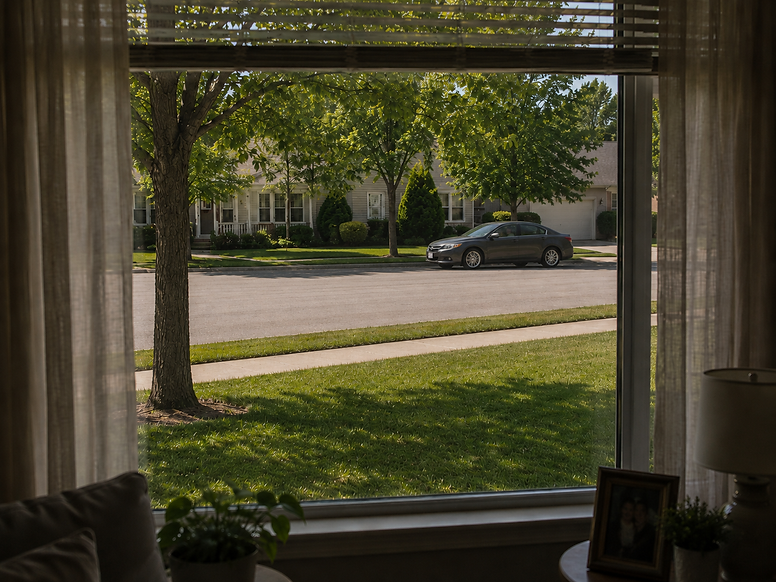
View from neighbor's window 10:33 AM

Subscriber at Work 10:33 AM
The subscriber is known in his community. He and his family have made friends with nearby neighbors over the time they have live in their home. The have spoken about Event Poet and have one another's account names.
Standby State 10:33 AM
At 10:33AM Event Poet's System is in a state of standby as no requests to initiate a session are coming in.

Event Poet System in Standby 10:33 AM
10:35 AM - Initial Prompts Begin
One neighbor notices the vehicle first. From inside her home, she observes that the sedan appears to be lingering without a clear reason for being there. She is able to make out several useful details, including the vehicle type, its gray color, and part of the license plate. As the gray sedan is unsually idling along the curb with what appears to be two occupants the neighbor, out of caution, sends an notifies the subscriber through the Event Poet app.

First Neighbor Sending Initial, or 'Heads-Up' Prompt to Subscriber 10:35 AM
The prompt includes:
gray four-door sedan, suspicously idiling nearby, licsence plate: State ABC 1..
unusual activity within vehicle
Initially however the subscriber does not check the Event Poet alert even though the app is blinking on his cellpone ,as he is busy at work. He placed his cellphone on mute so he could talk on the phone and does not notice the red glowing Event Poet app in the bottom right corner of his cellphone's screen alerting him.

Subscriber busy at work. Event Poet icon glowing on his cellphone 10:35 AM
Second Event Poet Prompt
A second neighbor observing from a different vantage point, her car's dashboard camera, observes the two males appearing to be approximately thirty years old wearing jeans and hooded sweatshirts move away from the now curbside parked vehicle and begin walking toward the homeowner's property. Their conduct appears out of place and sufficiently suspicious to justify concern. At this stage no break-in has yet occurred, but the event is beginning to take shape.
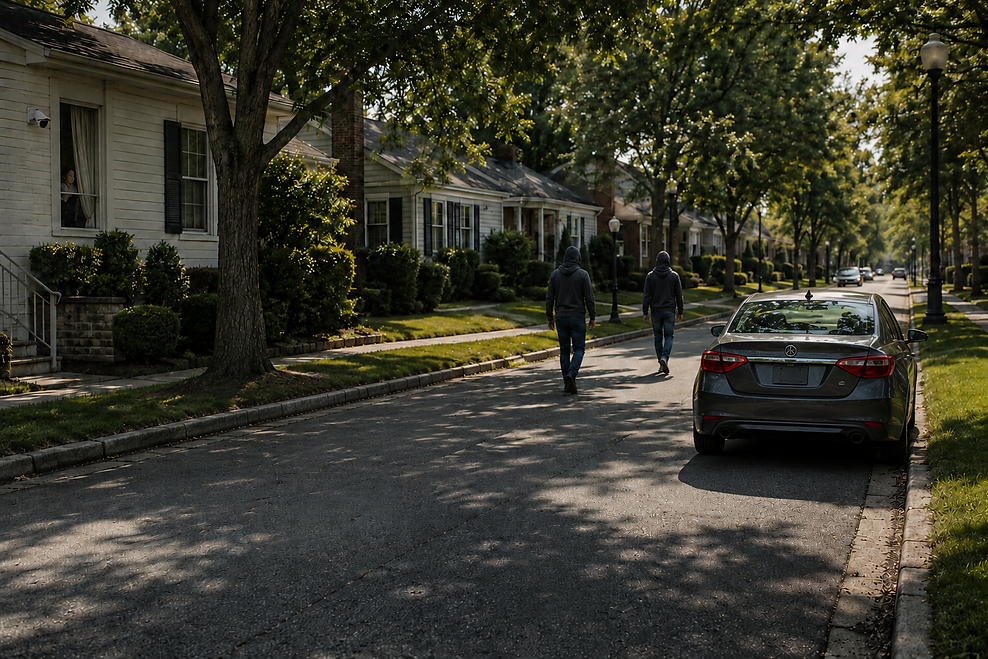
Two persons walking in the direction of the subcribers's home 10:36 AM

Second neighbor observing two persons walking in the direction of the subsciber's home on the screen of her cellphone from the perspective of her car's dashboard camera.
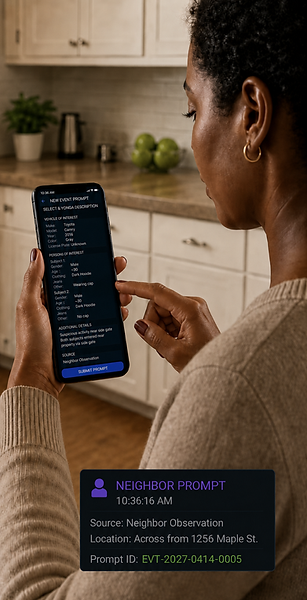
Second Neighbor Sending Initial Prompt to Neighbor 10:36 AM
These initial prompts do more than simply notify Event Poet that something may be happening. They provide the central Event Poet system with searchable, event-specific descriptive characteristics associated with the developing event.
The distinction between a prompt and a formal Event Poet session is important.
A prompt is an initial event indication supplied by an authenticated participant. It contributes information that may help Event Poet determine whether several observations relate to the same developing occurrence. A prompt by itself does not necessarily establish a full Event Poet session.
A formal Event Poet session, by contrast, becomes the governed event container through which the system can assign a unique event identifier, establish permissions, define a spatial-temporal area of interest, organize participating sources, maintain an event timeline, support authorized information sharing, and ultimately preserve the resulting Event Poet record.
At 10:36 a.m., the system is still receiving and evaluating preliminary event indications.
Event Poet timestamps each observation, associates it with the authenticated subscriber who entered it, and begins correlating the two independently submitted prompts. Because both reports concern substantially the same location, time period, vehicle, and persons, the system can begin treating them as potentially related observations of a single developing event.
EVENT
On the interim the two person, who are now persons of interest, went onto the subscriber's property, disabled his front porch security camera, forceably enter through the home's front door, stole valueables and the family pet dog.

Subcriber's Front Porch Camera Disabled
(Illustrative)

Persons of interest forceably opening subscriber's front door and entering his home.
(Image captured by Event Poet enabled vehicle camera during pre-event sequence and integrated into event video by Event Poet through progammatic querying of proximate cameras.)

Persons of interest returning to gray-colored four door sedan with valueables and family pet. (Image captured by Event Poet enabled home security camera during pre-event sequence at 10:41:06 and integrated into event video by Event Poet through progammatic querying of proximate cameras.).
As the subscriber previously toggled his setting to fully alert him if he receives more then one prompt, his Event Poet app alerts him in Full Screen mode and vibrates on his desk. Three alerts, two from two neighbors and one from his home security system which he previously intergrated with Event Poet have cause Event Poet to send a Full Screen alert to the Event Poet app on his cellphone.

Event Poet app in full screen, vibration and chime mode alerting subscriber 10:41 AM

Subscriber responding to Event Poet alert and initiating an Event Poet session 10:41 AM

Event Poet in active session.
10:41:44
Event Poet creating Before / During / After timeline


